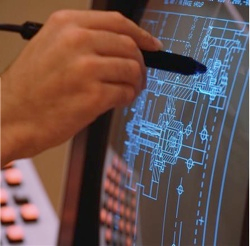
These devices are used to move an on-screen pointer or cursor (usually an arrow). They are commonly used with graphical user interfaces (GUIs)
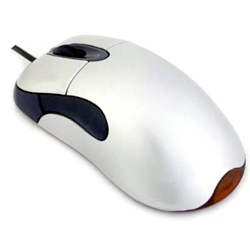
Mouse
A pointing device found on most PCs. Sensors on the bottom of the mouse detect when the mouse is moved. Data about this movement is sent to the computer.
Often used to control the pointer in a GUI.
Often used to control the pointer in a GUI.
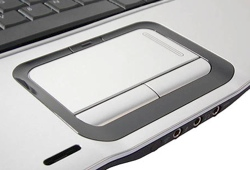
Touchpad / Trackpad
A pointing device found on most laptops. Used instead of a mouse since it takes up less space. The user moves a finger across the touch pad and this movement data is sent to the computer.
Usually used to control the pointer in a GUI.
Usually used to control the pointer in a GUI.
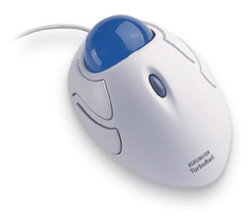
Trackball / Tracker Ball
This pointing device is not moved about like a mouse, instead it has a large ball that the user spins. Data about which direction the ball is spun is passed to the computer.
It can be used to control a GUI pointer.
Tracker balls are often used by people with limited movement (disabled) or by the very young since they are easier to use than a mouse.
It can be used to control a GUI pointer.
Tracker balls are often used by people with limited movement (disabled) or by the very young since they are easier to use than a mouse.
Touch Screen
A touch screen is an alternative to a separate pointing device. With a touch screen the user selects items on the screen by touching the surface. This makes touch screen systems very intuitive and simple to use.
Often used for information terminals in public places e.g. libraries or museums where mice or keyboards may be stolen or damaged.
Often used for information terminals in public places e.g. libraries or museums where mice or keyboards may be stolen or damaged.
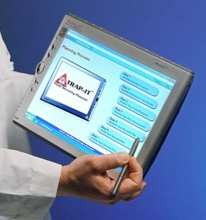
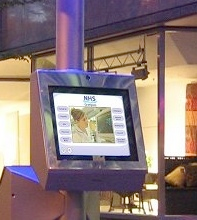
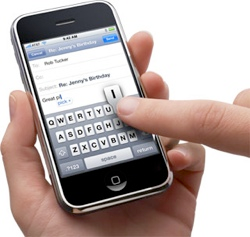
Because they are so intuitive to use, and now they are getting cheaper to manufacture, touch screens will probably become the most common hardware interface for our electronic gadgets.
Graphics Tablet
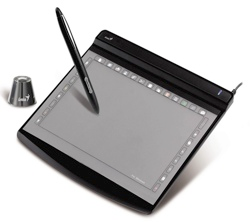
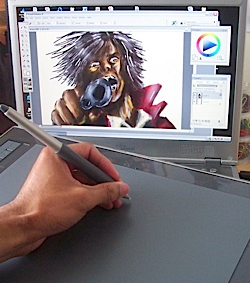
A pointing device often used by designers and artists to allow natural hand movements to be input to graphics applications.
A stylus is held like a pen and moved over the surface of the tablet. Data about the stylus movements are sent to the computer.
Since it is so like using a pen, it is very easy to create ‘hand-drawn’ sketches.
Since it is so like using a pen, it is very easy to create ‘hand-drawn’ sketches.
Joystick / Joypad
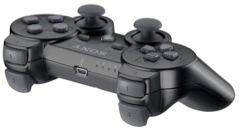
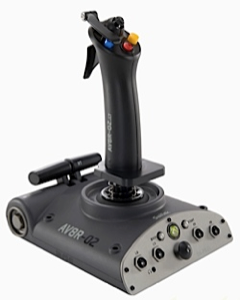
Used mainly for playing games. The user moves the joystick left/right, forward/back and data about these movements are sent to the computer.
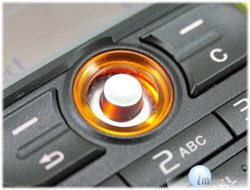
Small joysticks can also be found on some mobile phones.
Light Pen
A light pen is a device used as a pointing device or to ‘write’ on the screen of a computer.
Light pens are rarely used today since graphics tablets and high-quality touch screens provide similar functionality.
Light pens are rarely used today since graphics tablets and high-quality touch screens provide similar functionality.